AI automation & operational systems
ClickUp migration services
Moving to ClickUp from Monday.com, Notion, Asana, or scattered tools shouldn't mean weeks of disruption and months of your team refusing to use the new system. We handle the entire migration, from process mapping through to training and go-live, so your team lands in a workspace that actually fits how they work.







Getting started
Process mapped before anything moves
Workspace redesigned, not replicated
Team trained on the new system
Post-migration support included
Plans that grow with you
Why most ClickUp migrations fail
The technical import is rarely what goes wrong. These are the three patterns we see most often.


Copying the old structure into ClickUp
Monday boards, Asana projects, and Notion databases don’t map directly to ClickUp’s hierarchy. Replicating the old setup means carrying over the same limitations and clutter instead of building a workspace around how your team actually works and supports growth.

Migrating without cleaning things up first
Years of work create unused projects, duplicate tasks, inconsistent naming, outdated fields, and old automations. Moving everything into ClickUp without cleaning it up first doesn’t improve operations. It simply transfers the same clutter into a new system.
Launching without training the team
Even a perfectly migrated workspace can fail if the team doesn’t understand how to use it. Without proper training, adoption quickly drops, old habits return, and people move back to email or previous tools instead of consistently working inside ClickUp.

How it works
Your ClickUp migration, step by step
Every migration follows the same sequence. We understand your operations before we move anything.
1
Discovery and audit
We review your existing workspace end to end: active projects, archived work, custom fields, automations, integrations, and reporting. We identify what's actively used, what's outdated, and what should be left behind.
2
Process mapping and ClickUp architecture
Before importing anything, we design the ClickUp workspace hierarchy (Spaces, Folders, Lists, statuses, custom fields) around how your business actually operates. This is the step that separates a successful migration from an expensive copy-paste.
3
Data migration
We export your data from the source platform and import it into ClickUp, mapping fields, statuses, assignees, and dates. Tasks, comments, attachments, and basic custom field data typically transfer cleanly. We validate everything before moving forward.
4
Rebuild what doesn't transfer
Automations, dashboards, complex integrations, and workflow logic cannot be imported. We rebuild them natively inside ClickUp, often improving on the original. If you were running Zapier or Make connections, we evaluate whether native ClickUp automations can replace them.
5
Training, go-live, and cutoff
Role-based training for leadership, managers, and team members. A parallel running period where both systems are available. Then a clear cutoff date for the old platform, communicated and supported so the transition sticks.
Ready to get started?
Book a discovery call and we'll scope the migration together.
Migration outcome
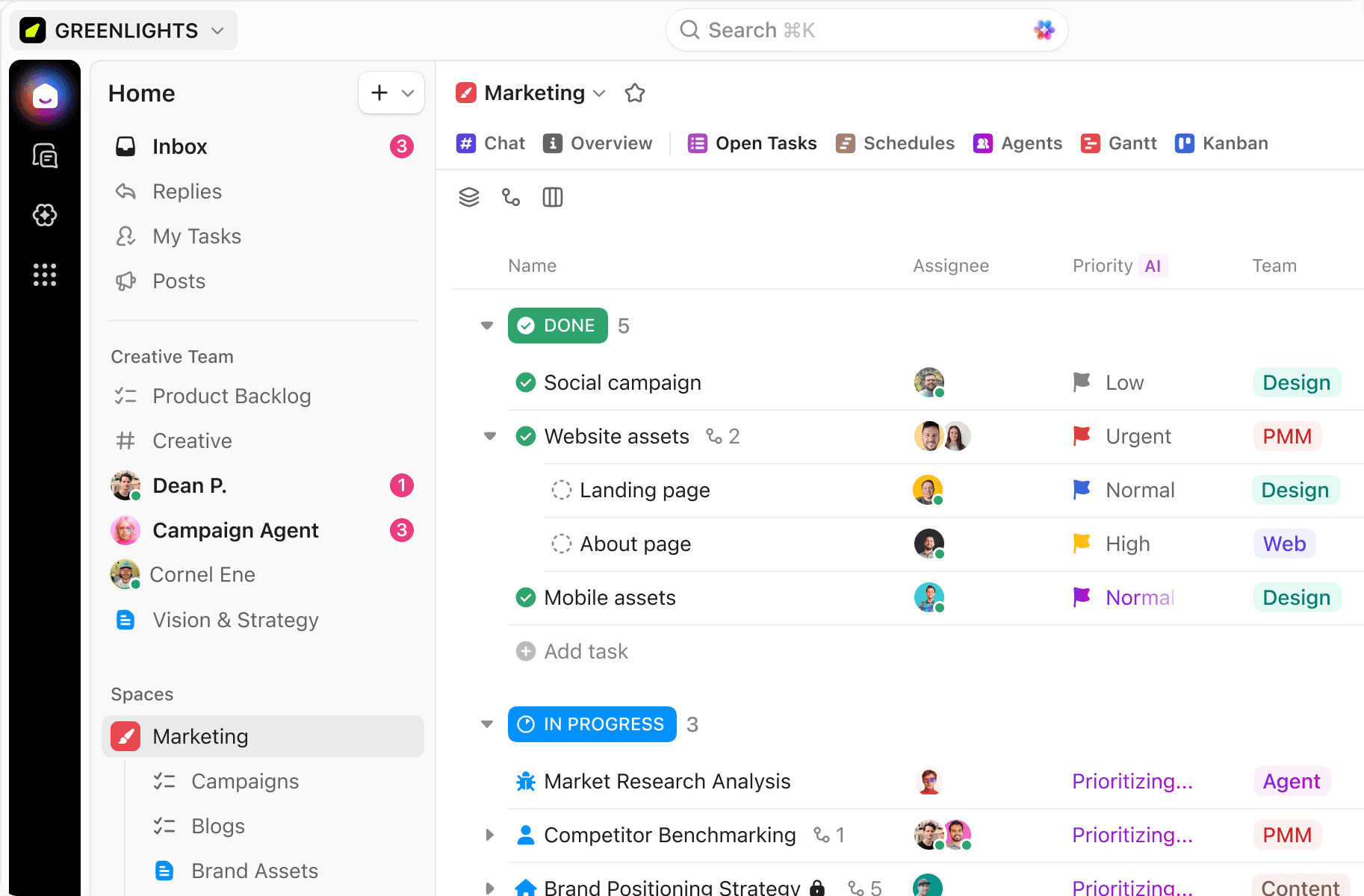
From scattered data to structured work
See how your data, workflows, and team structure can come together in a cleaner ClickUp workspace built for better visibility, consistency, and day-to-day use.
Migration options
Migrate to ClickUp from your existing tools
Teams we support
01
Agencies
Creative, marketing, and digital agencies that have outgrown Monday or Notion and need better project visibility, native time tracking, and client-level hierarchy. When we migrated BTW Creative, internal admin time dropped by 48% and project-related emails reduced by 63%.
02
Operations teams
Growing businesses where work is scattered across multiple tools and nobody has full visibility. Migration into ClickUp gives leadership real-time dashboards and workload views that their previous setup couldn't provide.
03
Non-profits
Lean non-profit teams moving from free or disconnected tools into a more structured system. ClickUp provides a flexible way to organize projects, responsibilities, and recurring work, while a properly designed workspace makes it easier for the whole team to adopt and use consistently.
04
Professional services
Professional services firms managing client delivery, capacity planning, deadlines, and billable hours across disconnected systems. Moving these workflows into ClickUp combines project management, time tracking, and reporting, giving teams better control over delivery and resources.
05
Growing startups
Growing businesses that have outgrown spreadsheets, email, and disconnected project tools. A structured ClickUp workspace brings teams, workflows, documentation, and reporting together, creating a scalable operating system that can continue evolving as the company grows.